Vibe Coding a Fluxbox Inspired Wayland Compositor
Feb 27, 2026
[ #linux #ai #claude #desktop #wayland ]
Contents
- Why a Wayland compositor?
- The build
- The moment it clicked: team orchestration
- What I’d tell someone starting their first agentic project
Everything after this paragraph was written with AI. I had Claude Code generate this post from it’s memories, git logs, shell history and interview after working on this project.
Written by Claude:
I used Fluxbox for fourteen years. Starting around 2000, it lived on every system I owned. In college, my desktop was Fluxbox with xmms, gkrellm, aterm, and the rest of the classic X11 toolkit.
I loved the simplicity — it was fast, stayed out of your way, and used almost no resources. But what really got me was the aesthetic. You could customize every pixel of the decorations, the toolbar, the menus. You could make a desktop that just looked cool. Sitting in front of that setup felt like living in the future.
If you were running Linux in the early 2000s, you know exactly what I mean. The last machine I ran it on was a work-issued ThinkPad X61s around 2014. I even had a Fluxbox t-shirt.
Then the world moved on. X11 gave way to Wayland. Fluxbox stayed behind. I moved through GNOME, then Cinnamon and macOS, but nothing felt the same.
In February 2026, I built Fluxbox again — for Wayland — in 6 active development days. I directed every decision, reviewed every output, triaged every bug, and managed the entire process. But I didn’t write a single line of code. Claude did.
| Scale | Scope |
|---|---|
| 35,000 lines of C | 93 source files |
| 30+ Wayland protocols | 110+ window manager actions |
| 81% test coverage | 175 tests (38 C + 137 Python) |
| 5 man pages | 5 packaging targets |
| 6 active development days | 153 commits |
The project is called fluxland, and it was 100% vibe coded using Claude Code with Claude Code Teams orchestration. This is the story of how it was built and what I learned about agentic software development along the way.
Why a Wayland compositor?
Let me be clear about what this project was really for: I wanted to understand agentic development. Not by building a TODO app or a CRUD API, but by throwing something genuinely hard at it and seeing what happened.
My background is operations, not software development. I was a LISA sysadmin managing 80,000+ systems across global data centers. Then DevOps — AWS, GCP, Kubernetes. Now I lead a cloud center of excellence, which in practice means spreadsheets and financial tools, not writing code. My C experience was minimal. My Wayland knowledge was zero.
That was the point. If I could get AI agents to build a working Wayland compositor — a real piece of systems software with protocol implementations, rendering pipelines, and input handling — it would tell me something meaningful about where this technology actually is.
A compositor turned out to be an ideal test case for agentic development:
- Specific purpose with clear success criteria. Does it composite windows? Do decorations render? Can you type?
- Genuinely complex but not impossibly large. Systems programming, protocol negotiation, text rendering, input handling — the kind of work that requires understanding library internals.
- No existing solution. Fluxbox doesn’t work on Wayland. This wasn’t reinventing a solved problem.
- Visual output. You can take a screenshot and see if it works. This matters more than you’d think.
I considered porting the Fluxbox codebase directly, but a cleanroom implementation on wlroots was a purer test of what agentic development can actually do — not translating existing code, but building something from an idea.
The build
Day 1 — 26 commits, 68 new files, ~26,000 lines of C. The entire compositor architecture — core, rendering, window management, protocols, IPC, menus, decorations, XWayland — in one day. I described what I wanted and watched code appear; Claude organized the work into sprints, researched wlroots patterns, then implemented module by module.
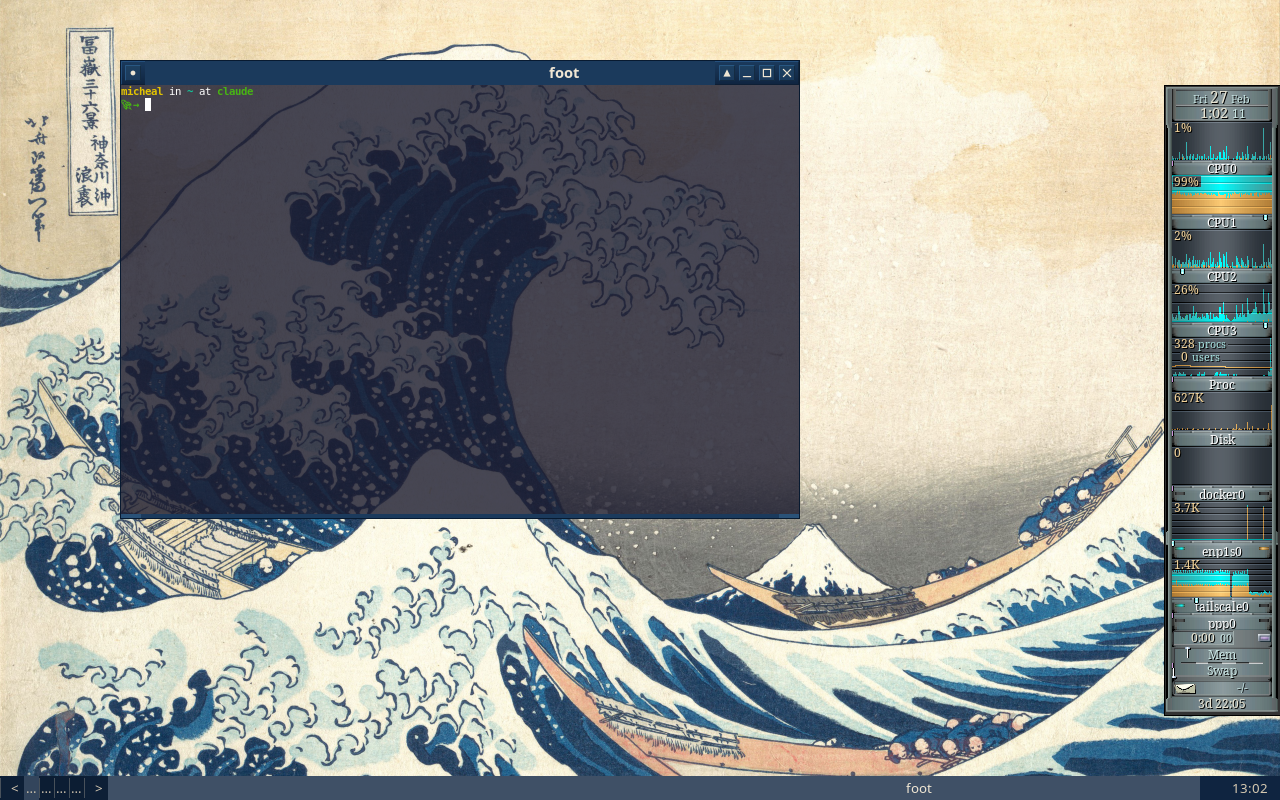
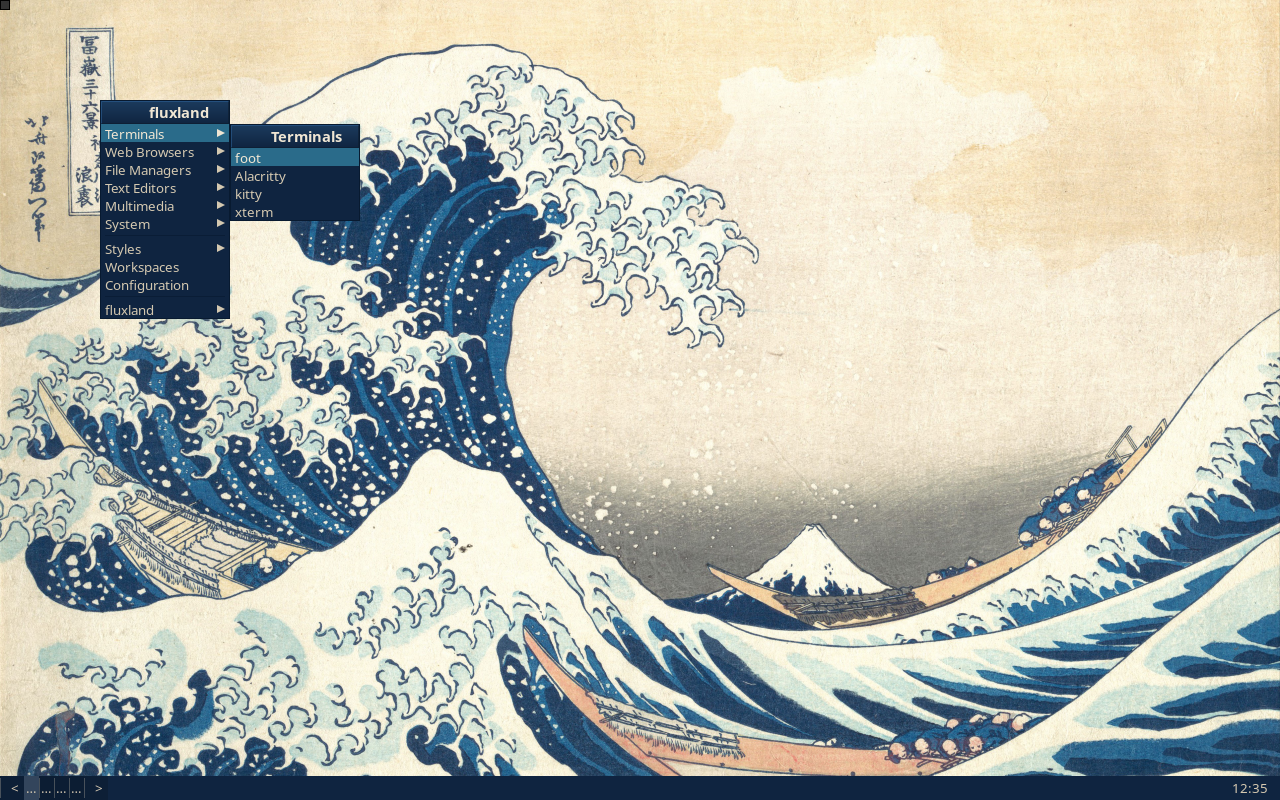
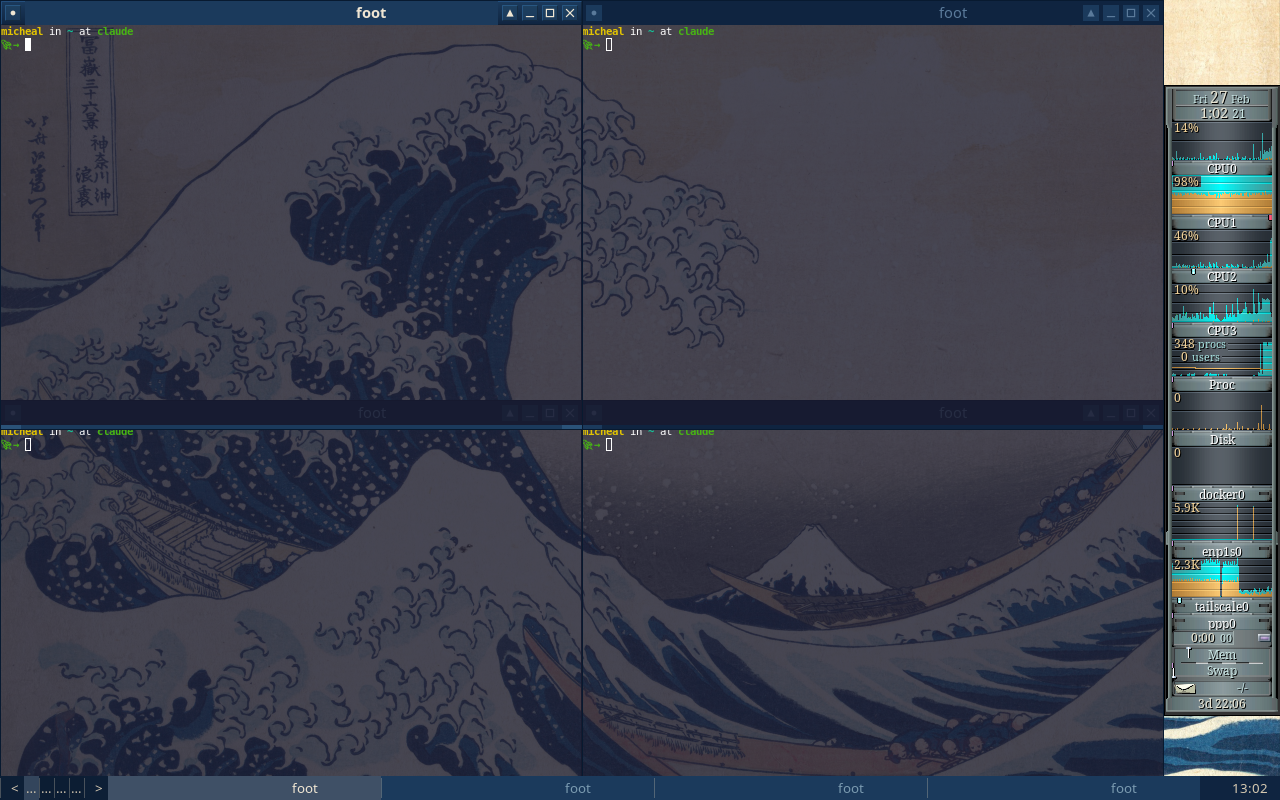
Day 2 — 35 commits. Slit, toolbar, touch/tablet support, five man pages, example configs, first unit tests. Renamed from wm-wayland to fluxland. Feature-complete.
Then I left for a two week vacation. It turned out to be the right rhythm — the build phase is about velocity, the hardening phase is about correctness, and the gap between them lets you see the project with fresh eyes.
Day 3 — Twelve bugs found in live testing. Two categories: AI mistakes (plausible code with subtle errors, like using the wrong Pango measurement function — menu titles showed “flu” instead of “fluxland”) and genuine complexity (a SIGCHLD race where SIG_IGN caused the kernel to auto-reap XWayland, requiring a double-fork rewrite across all five exec paths). Claude diagnosed both classes.
Day 4 — Security audit surfaced 36 findings, all fixed. Packaging for three distros. Two WCAG AAA accessibility themes. i18n scaffolding.
Day 5 — Test coverage from 35% to 81% in one day — 42,349 lines of test code across 10 phases. Theoretical max is ~84% due to unreachable hardware error paths.
Day 6 — 137 Python end-to-end tests, documentation polish, final bug fixes. Version 1.0.0 tagged.
The moment it clicked: team orchestration
Everything above could have been done with a single Claude Code session. What changed the game was Claude Code Teams.
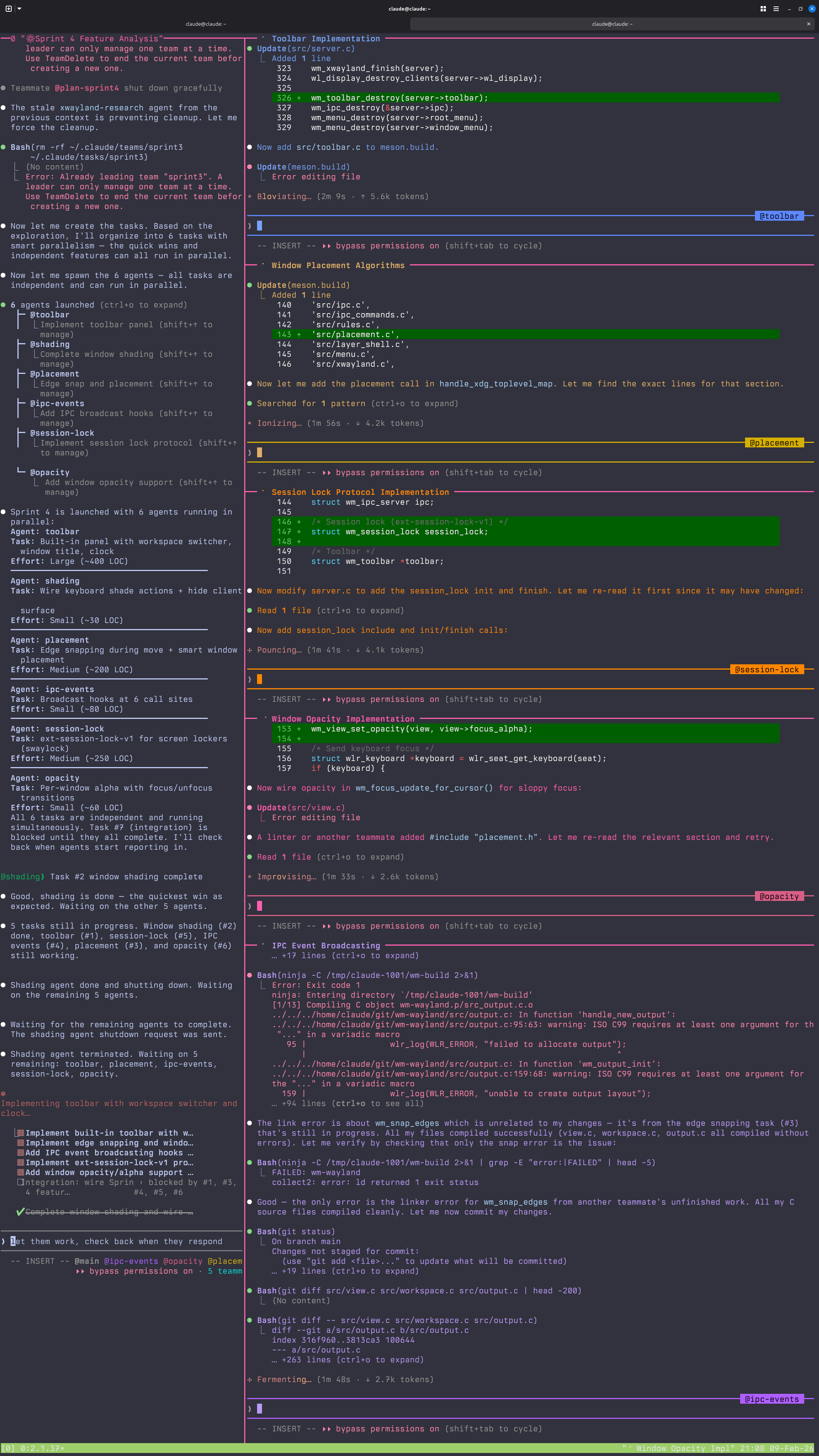
The breakthrough wasn’t Claude writing code — it was running 4-5 agents simultaneously in tmux, filling the role of engineering manager rather than developer. I’ve been a tmux user for years (old sysadmin habits), so I already had a .tmux.conf that made navigation between panes natural. Watching AI agents take over those familiar panes and start working in parallel was the moment agentic development stopped being a novelty and started feeling like a real workflow.
The team structure
Team Lead (me) — triages bugs, assigns work, reviews
  |
  +-- qa-agent-1 — tests feature areas via keyboard simulation + screenshots
  +-- qa-agent-2 — tests different feature areas
  +-- dev-agent  — fixes bugs, deploys, commits
  +-- research agents (as needed) — read-only codebase exploration
This mirrors how real engineering teams work, because it is how real engineering teams work. I’m not a software developer, but I’ve spent my career managing systems at scale. The skills transferred directly: triage, prioritize, delegate, verify. The “systems” were AI agents instead of Linux boxes, and the “infrastructure” was a codebase instead of a data center, but the management patterns were the same.
The QA/dev feedback loop
QA agents tested the live compositor running in the same VM. The VM ran two users: claude for development and micheal for the compositor session, with lightdm auto-login. Agents used wtype for keyboard simulation and grim for screenshots, running commands as the session user. They’d work through feature areas — menus, window decorations, workspaces, key chains — and report PASS/FAIL for each one. I’d triage the failures, prioritize by severity, and send bug batches to the dev agent. The dev agent would fix, build, deploy, and report the root cause. I’d create re-test tasks and assign them back to QA. QA would verify.
This is not a new process. It’s standard software engineering. What’s new is that every role except mine was filled by an AI agent.
The screenshot debugging breakthrough
The most useful discovery was realizing I could ask Claude to take a screenshot of the compositor and then look at it. Claude is multimodal — it can view images. So a QA agent would simulate some keyboard actions, take a screenshot, and visually inspect the result. “The menu title is truncated.” “The toolbar clock shows ‘16:5’ instead of ‘16:51’.” “There’s a pixel gap between tiled windows.”
A multimodal AI doing visual QA on a graphical application it built. That’s something I didn’t expect to work as well as it did.
What worked
Parallel feature sprints. Four agents in isolated worktrees simultaneously building window animations, snap zones, per-output workspaces, and test infrastructure. Independent work, no conflicts, all merged cleanly.
Research-then-implement. Read-only Explore agents investigated feature categories first, wrote findings to temporary files. Those findings were synthesized into sprint plans. Then implementation agents executed against the plan. This prevented agents from going off-track or making uninformed architectural decisions.
Persistent memory. Claude Code’s memory system — a directory of markdown files that persists across sessions — became the institutional knowledge of the project. Bug patterns, architectural decisions, gotchas, and lessons learned were all captured. Without this, every session would have started from zero. With it, Claude remembered that pango_layout_get_pixel_size() can’t be trusted, that decorations are scene buffers not wl_surfaces, and that child processes need double-fork.
An interesting side effect: the project didn’t have a CLAUDE.md file (the standard project instruction file for Claude Code) until the very end. It didn’t need one. The memory system had organically accumulated everything a CLAUDE.md would contain — build commands, architecture notes, convention guides, known pitfalls — just written by the AI for itself across dozens of sessions rather than curated upfront by a human. The memory files became the project documentation, growing as the project grew. By the time we wrote a proper CLAUDE.md, it was mostly a matter of distilling what the memory system already knew.
What didn’t work
Worktree cleanup. Git worktrees used for agent isolation sometimes got cleaned up between turns, losing work. We learned to avoid worktree isolation when agents touched different files and could safely share the main branch.
Concurrent keyboard simulation. Two QA agents sending wtype commands simultaneously caused chaos. Virtual keyboard inputs from different agents would interleave unpredictably. We had to space out testing or assign non-overlapping feature areas.
Agents forgetting to commit. Dev agents would edit files, build, deploy, test — and never run git commit. I had to explicitly instruct commits after each fix. Agents are great at solving problems but mediocre at housekeeping.
Token limits. I hit them often. In traditional development, the constraint is developer time. In agentic development, it’s tokens. You learn to scope work tightly, parallelize efficiently, and avoid wasting context on dead ends — the same skills a good engineering manager uses with human developers, just with a different budget.
What I’d tell someone starting their first agentic project
Pick the right project. This matters more than anything else. A TODO app won’t teach you much. Something impossible won’t finish. The sweet spot is a project that’s genuinely complex but verifiable — you can look at it, run it, test it, and know whether it works.
Own the manager role. The breakthrough isn’t writing better prompts. It’s thinking like a team lead. You’re not pair programming — you’re running a team. Triage, prioritize, delegate, verify. Set up the processes (QA feedback loops, bug tracking, re-testing) and let the agents execute within them.
Build verification loops early. Tests, screenshots, IPC queries, smoke checks. The AI will write plausible-looking code with subtle bugs. Your job isn’t to read every line — it’s to build the systems that catch problems. The --check-config validator, the 137 Python UI tests, the screenshot-based QA workflow — these all existed to catch things I couldn’t see by reading code.
Invest in memory. Persistent context files (CLAUDE.md, memory directories) are the institutional knowledge of your AI team. Document bug patterns, architectural decisions, gotchas. A single line in a memory file can save a future session from re-discovering a bug that took hours to diagnose.
Accept the token budget. You’ll hit limits. Plan sessions around this. Batch related work together. Parallelize independent tasks. Don’t waste context re-explaining things the memory system should handle. Think of tokens the way you think of sprint capacity — scope accordingly.
Fluxland is genuinely functional. It reads Fluxbox config files, supports key chains and keymodes, renders server-side decorations with the same theming system, runs the slit for dockable apps, and implements 30+ Wayland protocols. You could use it as a daily driver. It has features Fluxbox never had — snap zones, window animations, IPC event subscriptions, WCAG AAA high-contrast themes.

It’s also, proudly, 100% vibe coded. Every line generated by Claude Code. But the methodology underneath — sprints, parallel agents, QA feedback loops, persistent memory, visual verification — is real engineering process. “Vibe coded” doesn’t mean unstructured. It means the human’s role shifted from writing code to directing intelligence.
If I had to start over, I might clone the Fluxbox repo and ask Claude to port it. That would probably have been more efficient. But I like the cleanroom approach. It proves something different: you don’t need to start with existing code. You can start with an idea and a memory of a desktop that looked cool twenty years ago.
The source is at github.com/ecliptik/fluxland. Try it, break it, file issues.